> For the complete documentation index, see [llms.txt](https://docs.payfacto.com/centre-de-documentation-payfacto/llms.txt). Markdown versions of documentation pages are available by appending `.md` to page URLs; this page is available as [Markdown](https://docs.payfacto.com/centre-de-documentation-payfacto/documentation-uk/applications/securepay/depannage/problemes-dinstallation.md).
# Problèmes d'installation
### Microsoft .NET Framework 3.5 est manquant
#### Description du problème:
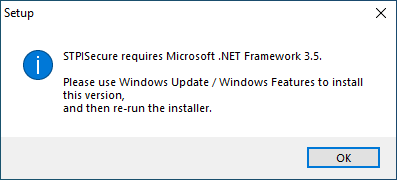
Lors de l'installation de STPISecure, un message d'erreur s'affiche :
STPISecure nécessite Microsoft .NET Framework 3.5.
Veuillez utiliser Windows Update / Fonctionnalités Windows pour installer cette version, puis réexécutez le programme d'installation.
#### Solution:
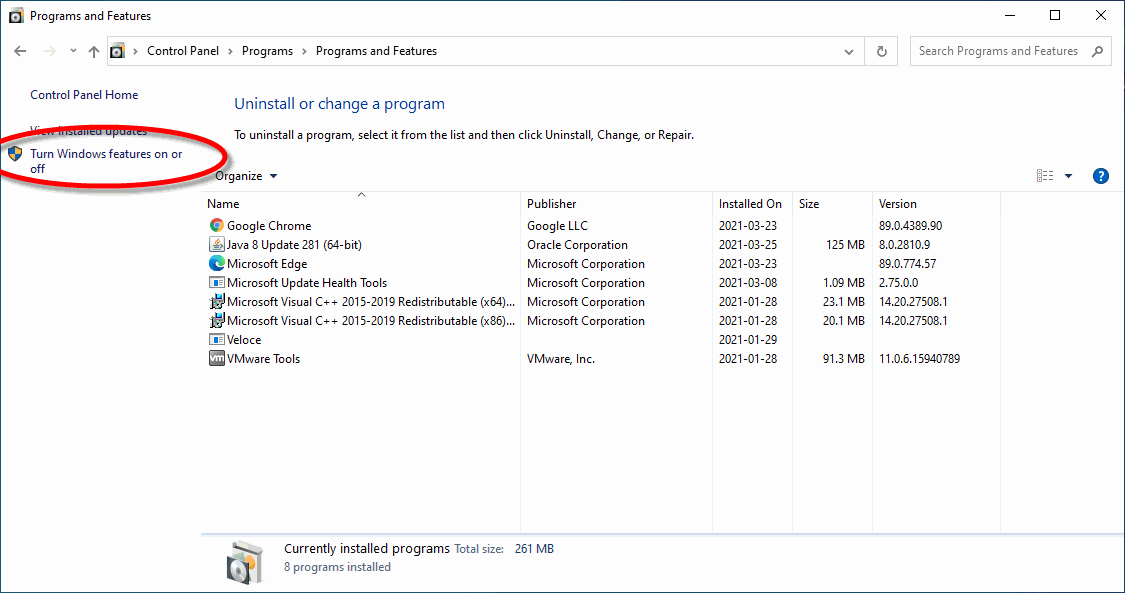
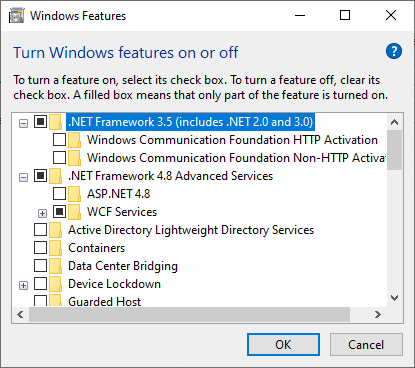
Installez Microsoft .NET Framework 3.5 via Windows Update ou utilisez l'option « Activer ou désactiver les fonctionnalités Windows » dans Ajout/Suppression de programmes pour activer .NET Framework 3.5.
Une fois Microsoft .NET Framework 3.5 installé, réessayez d'installer STPISecure.
***
### Java est manquant
#### Description du problème:
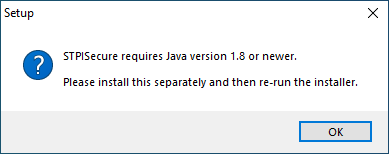
Lors de l'installation de STPISecure, un message d'erreur s'affiche :
STPISecure nécessite Java version 1.8 ou plus récente.
Veuillez l'installer séparément, puis réexécutez le programme d'installation.
#### Solution:
Téléchargez et installez Java depuis le site Web d'Oracle :
Une fois Java installé sur votre système, réessayez d'installer STPISecure.